Blog

  • Pixel Pal (PART 5) : Data augmentation

    This article is part of a series about upscaling icon themes with AI. While this page is part 4, part 3 is available here and part 5 is available here.

    Pixel Pal is a project I have started to bring new life to old icon themes. Many old icon themes are in raster format and are not suited to HiDPI screens. Currently, the only way to handle old icon themes is to turn one pixel into four or nine, but the result looks pixelated. The goal of this project is to use deep learning to upsample small icons into icons for HiDPI screens.

    One of the big challenges in deep learning is getting enough data. Neural networks can easily have millions of parameters, and fine-tuning them requires a large quantity of data. Getting enough data is a challenge, but what makes it worse is that data alone is not enough: you need labelled data and, if possible, high-quality labelled data.

    When you don’t have enough data, you have a problem. There are many ways to tackle this issue:

    1. Reducing the number of parameters to learn. One way is to reuse the weights (parameters) from a model already trained on another task, and then retrain only parts of it. This is a form of transfer learning. For instance, VGG-16 is trained for general-purpose image classification. You can take this model and retrain only parts of it, assuming it generalise well.
    2. Training parts of the model on the input data alone using autoencoders. This is fairly technical. It is a model which compresses the input and then decompresses it with as little loss of quality as possible. Such a model is easier to train, because you usually have lots of input data (but not necessarily output data). Then you take the trained autoencoder and split it in two: the compression network and the decompression network. You can then work with the compressed features coming out of the compression network in place of the original input data. The benefit is that the compressed features are smaller. As a result, the network you need to train to map the compressed features to the output data is also smaller, and therefore simpler to train.
    3. Using data augmentation. This consists of building new data from the existing data, and it is especially good at producing neural networks that generalise well. Through data augmentation, you can tell a neural network what it should not rely on. For instance, one way to augment image data is to flip the image horizontally and vertically; this way, you can easily quadruple the amount of data available and tell the network it should not rely on the image being a certain way, like having shadows at the bottom.

    For this project, I will rely on data augmentation. My training data set is around 9,000 images, which is fairly good for networks with tens of thousands of parameters. But through data augmentation, my neural network can do even better: by simply flipping horizontally and vertically, I can easily get around 36,000 images, which allows me to investigate deeper neural networks.

    ModificationNo horizontal flipHorizontal flip
    No vertical flipOriginal image of a black and white wifi icon with no modification appliedOriginal image of a black and white wifi icon flipped horizontally
    Vertical flipOriginal image of a black and white wifi icon flipped verticallyOriginal image of a black and white wifi icon flipped horizontally and vertically

  • Pixel Pal (PART 4) : Training a model

    This article is part of a series about upscaling icon themes with AI. While this page is part 4, part 3 is available here and part 5 is available here.

    Pixel Pal is a project I have started whose purpose is to bring new life to old icon themes. Many old icon themes are in raster format and are not available for HiDPI screens (their resolution are too small). Currently the only way to handle old icon themes is to turn one pixels into four or nine. But it looks pixelated. The goal of this project is to use deep learning to upsample small icons into icons for HiDPI screens.

    In this part I will be training models. To build and train models I will use _Tensorflow: https://www.tensorflow.org/ and _Keras: https://keras.io/. Tensorflow and keras are at this point the industry standard for neural networks in Python. I won’t explain how to train networks in Keras. This is already widely covered. In this section I want to talk about a couple of important things to do when training to avoid wasting time (training well is time consuming):

    1. Output metrics during learning not just the loss to visualise the learning live.
    2. Use a validation dataset to measure the progress of learning on a dataset which is different from the training dataset. The point is to see the real progress of the learning and spot early issues like overfitting (or learning too fast).
    3. Use a early stopping callback : This will check the progress of the validation metrics and stop the learning if the training algorithm is no longer learning. This helps avoid of leaving the training algorithm going on for nothing.
    4. Use checkpoints : This will save the model regularly and if your training crashes you can restart from where you left.
    5. Regularly save the output (as an image) of the neural network on fixed image inputs. This helps you visualise the progress of the learning.
  • Pixel Pal (PART 3) : Measuring model quality

    This article is part of a series about upscaling icon themes with AI. While this page is part 3, part 2 is available here and part 4 is available here.

    Pixel Pal is a project I have started whose purpose is to bring new life to old icon themes. Many old icon themes are in raster format and are not available for HiDPI screens. Because the icons are low-resolution. Currently the only way to handle old icon themes is to resample them by the desired factor, but the icons look pixelated. The goal of this project is to upscale icon themes with AI.

    In this part I will cover losses, metrics and targets. Before going on about training deep learning networks to upsample intelligently icon images, we need ways to measure whether our models are doing a good job. In particular, I need to know if a model does better than simply pixel doubling.

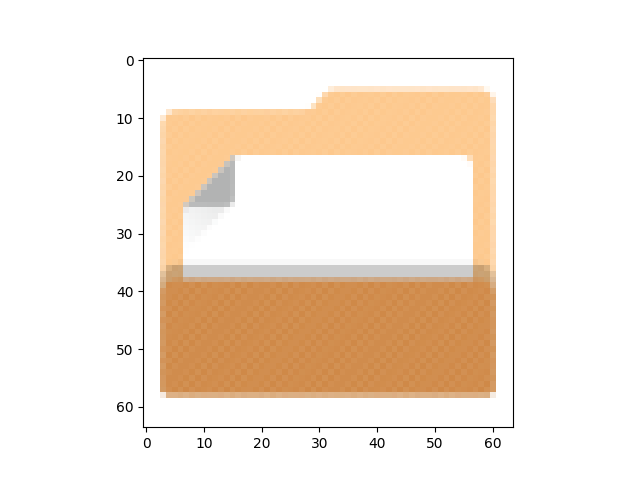
    Low resolution 64 pixels by 64 pixels icon of a non empty folder
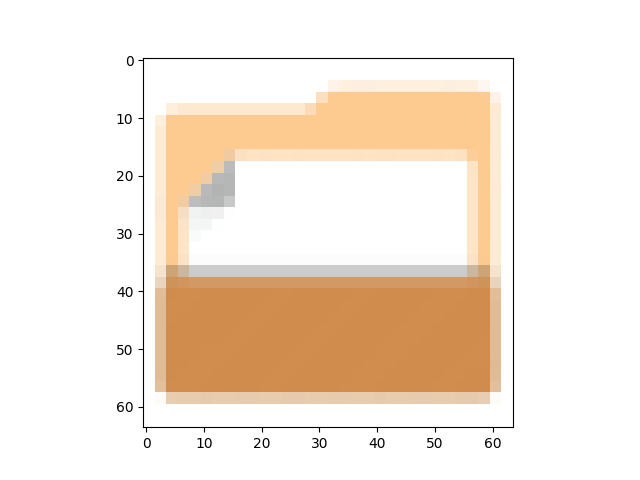
    Low resolution 32 pixels by 32 pixels icon of a non empty folder

    The images above show side by side the same vector icon but the left icon was rasterised as a 32 by 32 pixel image and the right icon was rasterized as a 64 by 64 pixel image. Furthermore, the former was upsampled using pixel doubling.

    As you can see the two images are similar but not identical. I need some way to measure how similar the two are. Simply counting the number of identical pixels is problematic. Just because two pixels aren’t identical does not mean they are not similar. Counting the number of identical pixels as a metric will probably be too strict. So, for this project, I will rely on two metrics suggested in the following article: An Introduction to Super Resolution using Deep Learning. The metrics in question are the following:

    1. Peak Signal-to-Noise Ratio (PSNR)
    2. Structural Similarity (SSIM)

    For reference the metrics for the pair of images above are :

    1. Peak Signal-to-Noise Ratio: 16.91 dB
    2. Structural Similarity: 0.83

    Measuring how similar two images are is already a good start. It provides us an idea of how well our models are working. However, there are some limits to metrics:

    • Metrics are not always differentiable. However training neural networks requires a way to measure the distance between the desired output and the output the network is producing. This is where losses come into play.
    • You need to have some good baselines. In other words, the metric in itself is not useful; you need to have an objective. Such as doing better than simple pixel doubling or bicubic interpolation.
    • Metrics will be sensitive to the data you use. You may end up with images that are easy to upsample, and the metric may be deceptively good. This is why you should compute the metrics on the entire dataset and do some statistics on it.
    • Metrics are not perfect. In the end we want something to be visually pleasing not something that maximises a mathematical function. This is why you should also visually inspect the output of a neural networks.

    To train the network, I will use a loss function. Loss function are ways to measure the distance between the ideal output and the current output. In our case, I will use mean squared error as it is simple and fits our purpose. Always make sure you are using an appropriate loss function.

    My objective will be to perform better than straight upsampling via nearest-neighbour and bilinear interpolation.

  • Pixel Pal (PART 2) : Gathering data for Pixel Pal

    This article is part of a series about upscaling icon themes with AI. While this page is part 2, part 1 is available here and part 3 is available here.

    Pixel Pal is a project I have started whose purpose is to bring new life to old icon themes. Many old icon themes are in raster format and are not available for HiDPI screens. Because the icons are low-resolution. Currently the only way to handle old icon themes is to resample them by the desired factor, but the icons look pixelated. The goal of this project is to upscale icon themes with AI.

    To solve this, I will use artificial intelligence and more precisely, deep learning. The idea is to train a neural network how to upsample icons in a manner that takes into account the shape of the underlying icon. In other words the idea is to do better than increasing the number of pixels. However, to train a neural network you need lots of data. In our case the data is a collection of icons for which we have both low resolution and HiDPI resolution versions.

    Thankfully, a lot of icon themes are available for which we have both. There are some requirements:

    1. The icon theme’s license needs to allow make derivatives. To be safe, I will stick to open source licenses.
    2. There needs to be enough data to train a network. However, I will intentionally not get too much data to explore data augmentation techniques.
    3. We need to have the ability to split data well in various sets: training, validation, test and real world data

    Let me explain the splitting of the data a little more by using an analogy. Training a network is a bit like taking a course at university. You get a lot of material through the course and at the end of the course there is a final exam. You are not allowed to see the final exam.

    The course material is your real training data, and the final exam is test data. The point of test data is to evaluate the real performance of the network. But the test data is not part of the course. For the test data I have another real-world dataset which is there for me to use the network a first time on a real task; in other words, non-course material. The real world data will correspond to some old icon themes (OS/2, CDE).

    Furthermore, real training data will be split. To use our analogy to learn the course and pass the final exam with a good grade you do practice tests. This is done by splitting our real training data into a smaller training data set and a validation data set.

    So, to recap, we have :

    1. Training data : Use for training the network
    2. Validation data : Use for evaluating the training
    3. Test data : Use for evaluating the performance of the network
    4. Real world data : To test the use of the software on an actual use case.

    Let me explain a bit more about the use of real world data. I have chosen two very old icon themes for which no SVG formats are available. This data set allows me to judge whether the project has been a success qualitatively.

    Because no SVG files are available an official metric can’t be calculated, which is why we need test data with SVG icons. Using old icons with no SVG file format will show whether using deep learning is actually useful for reviving old icon themes. The old icon themes are the official CDE icon theme and the icon theme from OS/2.

  • Pixel Pal (PART 1) : Adapting old icon themes for HiDPI screens

    I am starting a new open source project. The goal is to improve HiDPI support by upscaling icon themes with AI: old software relies on icon themes in raster format. These are not suitable for HiDPI screens. Low-resolution icons (e.g. 32×32) do not render well on HiDPI screens. The solution is to simply do pixel doubling, but this results in an ugly pixelated look.

    Upscaled image of a file icon illustrating pixelated look

    My new project will do better by upscaling icon themes with AI. Specifically by using super-resolution deep learning models. These neural networks rely on subtle statistical relations between the pixels of an image. For instance, corner pixels of an object have similar colour. Another example is that icons frequently feature lines and curves.

    A series of blog posts will detail the project’s progress. The next post here covers gathering data.

  • Popularity of Linux universal packaging formats

    Counting the number of applications distributed as Snaps, Flatpaks or AppImages as a measure of the popularity of Linux universal packaging formats, let’s see how much existing Linux software has moved to Snap, Flatpak or AppImage. It should give us an idea of how successful these new packaging formats are with old open source projects.

    Disclaimer: Now I must be honest: answering this question is difficult and easily subjective. I tried being impartial and accurate but you should take everything I state with a grain of salt. Try researching on your own.

    Counting package format adoption

    Because counting on my own whether each piece of software on Linux is available as a Snaps, as a Flatpak or as an AppImage is time-consuming, I decided to take a subset of popular Linux applications. To avoid putting personal bias in the list, I chose the set of software listed on FossMint. Because Google Drive and Evernote are not officially packaged for Linux, I have excluded them. This should give us a rough idea of the percentage of applications adopting universal packaging, and thus help evaluating the popularity of Linux universal packaging formats.

    Using this list, I searched for the following:

    • Are the projects officially adopting AppImage, Flatpak or Snaps as a means of distribution? In each case, I checked the project’s official website.
    • Are AppImages, Flatpaks or Snaps available for the software in question, regardless whether the project official supports any of the format.
    • Are AppImages, Flatpak or Snaps shipping the latest version?

    What do the numbers say

    About 14% of projects official distribute their software as AppImage, Flatpak or Snaps. Meaning that adoption is slow (the youngest of the three formats is 4 years old). Of the 14% (~10 applications) which moved to universal packaging, 40% (~4) have adopted Flatpak, 40% (~4) have adopted AppImage and 20% (~2) have adopted Snaps. However, because the sample of applications officially distributed as AppImages, Flatpaks and Snaps is so small, one should not conclude yet that Flatpak or AppImage is being more successful.

    Concerning whether software is being made available as Snaps, Flatpaks or AppImages, AppImage appears to be last with about 37%. Snaps and Flatpak are ahead with respectively about 46% and 47% adoption rates respectively. AppImage project’s insistence on upstream packaging explains this discrepancy. Overall, this means Snaps and Flatpaks are being more successful, but only because volunteers (not officially associated with open source software projects) package popular Linux software as Snaps and Flatpaks.

    Concerning whether we have the latest version packaged in each format, we see a big lead for Snaps. About 60% of Snaps provided ship the latest version, 53% of Flatpaks provided ship the latest version and only 37.5% of AppImages ship the latest version. Because probonopd, one of the main developers behind AppImage, created most AppImage bundles and has not been updating them for more than a year, the number of up-to-date AppImage bundles is fairly low. The numbers are healthier for Snaps and Flatpaks but it is still far from 100 percent. Many volunteers who originally packaged software as Snaps, Flatpaks or AppImages have stopped updating them, meaning a lot of the software is out of date.

    So which one is ahead ?

    Based on this list I don’t think one can claim Snaps is way ahead; if anything, it appears to be strongly in competition with Flatpak. One should not conclude AppImage is losing steam either, AppImage is doing well, with 634 applications distributed as AppImage according to AppImageHub and many developers choosing AppImage as the official format for Linux. A lot of software is distributed today as Snaps, as Flatpaks and as AppImages by enthusiasts, because projects are not officially adopting either formats. This means will still need to rely on maintainers to distribute and maintain software as Snaps, Flatpak or AppImages.

    What’s holding back either Snaps, FlatPak or AppImage?

    What stop developers from using Snaps, Flatpaks or AppImages? I searched various forums and GitHub for answers. Here are some of the main reasons:

    • Lack of time, resources or motivation: This is one of the main reasons preventing a package format adoption. See for instance the following links: 1, 2, 3, 4. Hobbyists, who have limited time to work on their projects, are reluctant to learn or build for a new packaging format.
    • Not even packaged: Many software projects are not even doing the packaging on Linux themselves. They assume maintainers will package for them.
    • Software no longer developed: Lots of software are no longer maintained. For instance, Frozen Bubble was last updated in 2010 whilst Banshee was last updated in 2014. It is hard to expect projects with no developers to magically create a Snaps, Flatpaks or AppImages.
    • Lack of agreement over which format to use: This is not frequent but fairly telling. How come there are 3 competing universal packaging formats? RStudio could not agree over which format to use.

    Lots of people in the Linux community criticise Snaps, Flatpak and AppImage on technical grounds and disagree with the philosophy of universal packaging, but ironically this didn’t show up much as a reason not to support Snaps, Flatpak or AppImage. I think the people complaining about universal packaging are usually not software developers; the criticism comes more from system administrators, Linux distribution developers/maintainers and users who choose Linux for its security.

    Conclusion

    Overall, traditional Linux software appears reluctant to adopt Snap/Flatpak/AppImage. So, in terms of the popularity of Linux universal packaging formats, I’d say it is still fair game.